

By default, a survey is shown to each user only once.
Configuring Recontact Options
- Open the Survey Editor and select the Settings tab.
- Ensure the survey type is set to App Survey.
- Open the Display & Recontact section and choose an option under Recontact options.
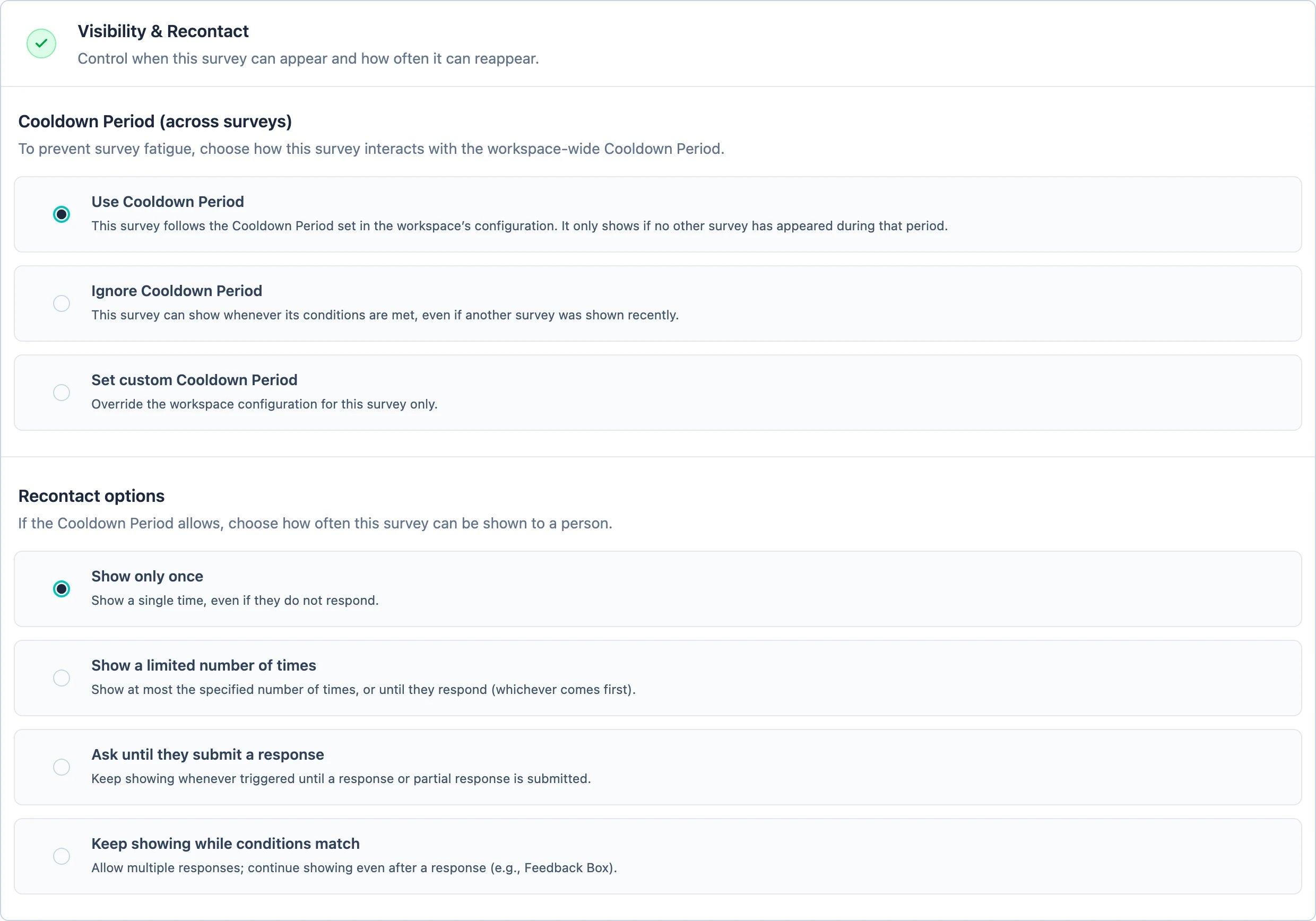
- Show only once (default) — show a single time, even if the user does not respond.
- Show a limited number of times — show at most the specified number of times, or until the user responds (whichever comes first).
- Ask until they submit a response — keep showing whenever triggered until a response or partial response is submitted.
- Keep showing while conditions match — allow multiple responses and keep showing even after a response. Useful for continuous feedback collection, such as the Docs Feedback Survey or the Feedback Box.
Recontact Options or interaction-based segments
Recontact Options count how often this survey was shown or answered; they have no time window. If your rule needs one (“not seen in the last 3 months”) or depends on a different survey, use an interaction-based segment instead, and set Recontact to Keep showing while conditions match.Relationship to the Cooldown Period
Recontact Options decide how often a survey may repeat; the Cooldown Period is a separate, workspace-wide gate that limits how often a user sees any survey. Both must pass before a survey is shown — Recontact Options are evaluated first, then the Cooldown Period. The same Display & Recontact section is where a survey says how it treats that workspace-wide gate: Use Cooldown Period (the default), Ignore Cooldown Period for a survey that may show even if another survey was shown recently, or Set custom Cooldown Period to override the workspace value for this survey only.Still struggling or is something not working as expected? Join us in GitHub Discussions and we’d be glad to assist you!