

Recall Sources
You can recall data from the following sources:- From a previous question
- From your Embedded Data — both the fields you declare yourself (Hidden Fields and Variables) and the auto-captured ones such as URL or Device
Recalling from a previous question
On the first question the menu lists only Embedded Data and auto-captured fields — there is no
earlier answer to recall yet.
Step 1: Insert the recall
Type@ in the question or description where the value should appear. A menu opens listing everything available at that point in the survey, in labelled groups: the questions before this one, your Embedded Data fields, and the auto-captured ones.
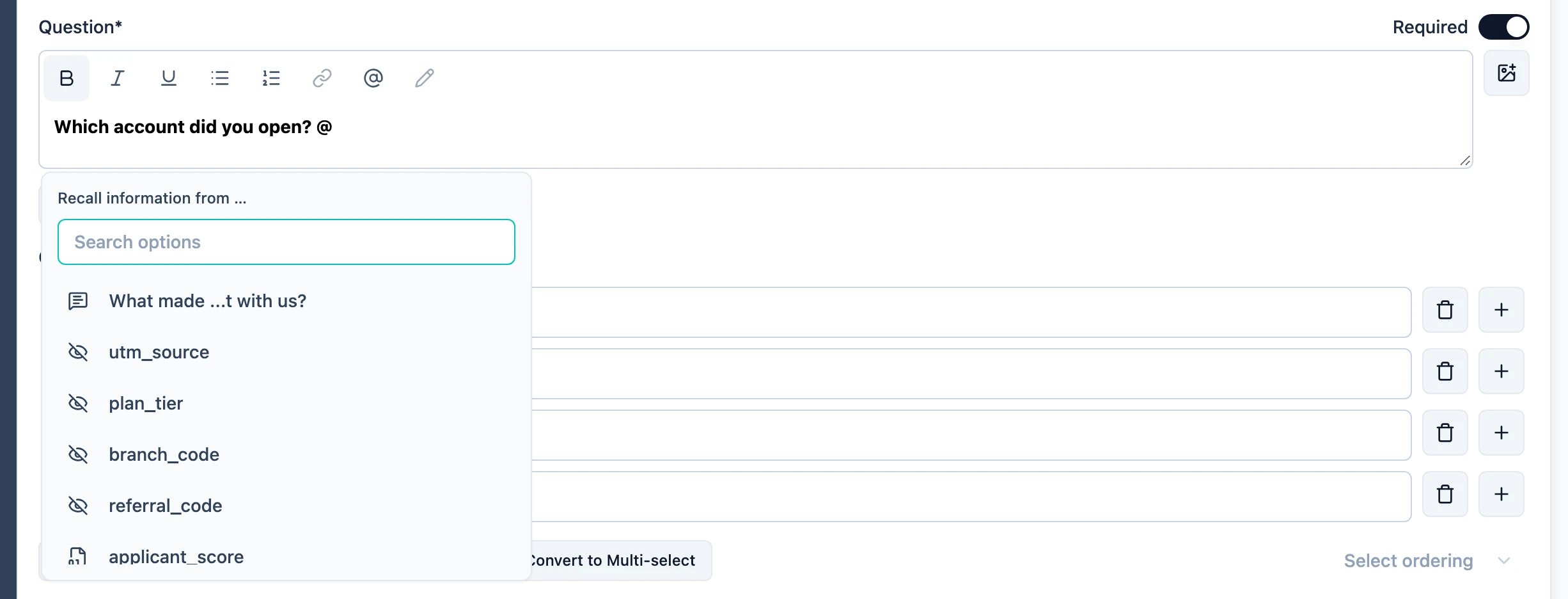
Step 2: Set a fallback
Pick a source and the editor asks for a fallback: the text to show when there is nothing to recall. An optional question that was skipped, or a hidden field the URL never filled, would otherwise leave a gap in the sentence.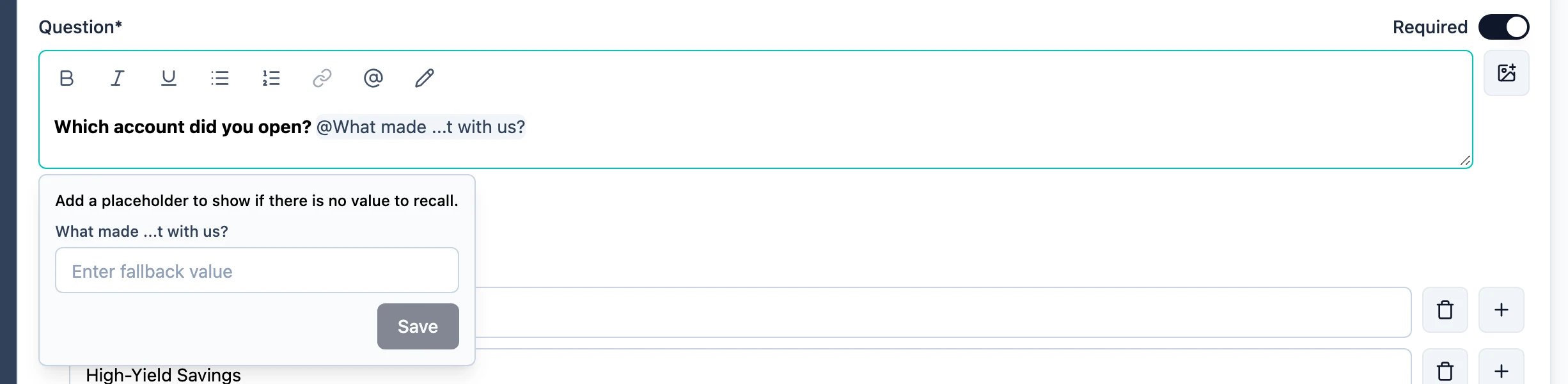
Recalling from the URL
- Create a hidden field, here is how →
-
Use the
@symbol in a question or description to recall the value of the hidden field - Set a fallback in case the hidden field is not being filled by a URL parameter
- Use Data Prefilling to set the hidden field value when the survey is accessed
Recalling from a Variable
- Create a variable, here is how →
-
Use the
@symbol in a question or description to recall the value of the variable - Set a fallback in case the variable has not been calculated yet when the question is shown